The recipe. Nothing else.

Less scrolling.
More sizzling.

Every recipe online is buried under a life story, a photo essay, and forty ads. Recipe Please puts a button on every recipe page in Safari — one tap, and dinner surfaces as a clean, cook-ready card you can keep forever.

Free on the App Store · iPhone, iPad & Mac · No accounts. No subscription. Ever.

A recipe website instantly turned into a clean recipe card by Recipe Please
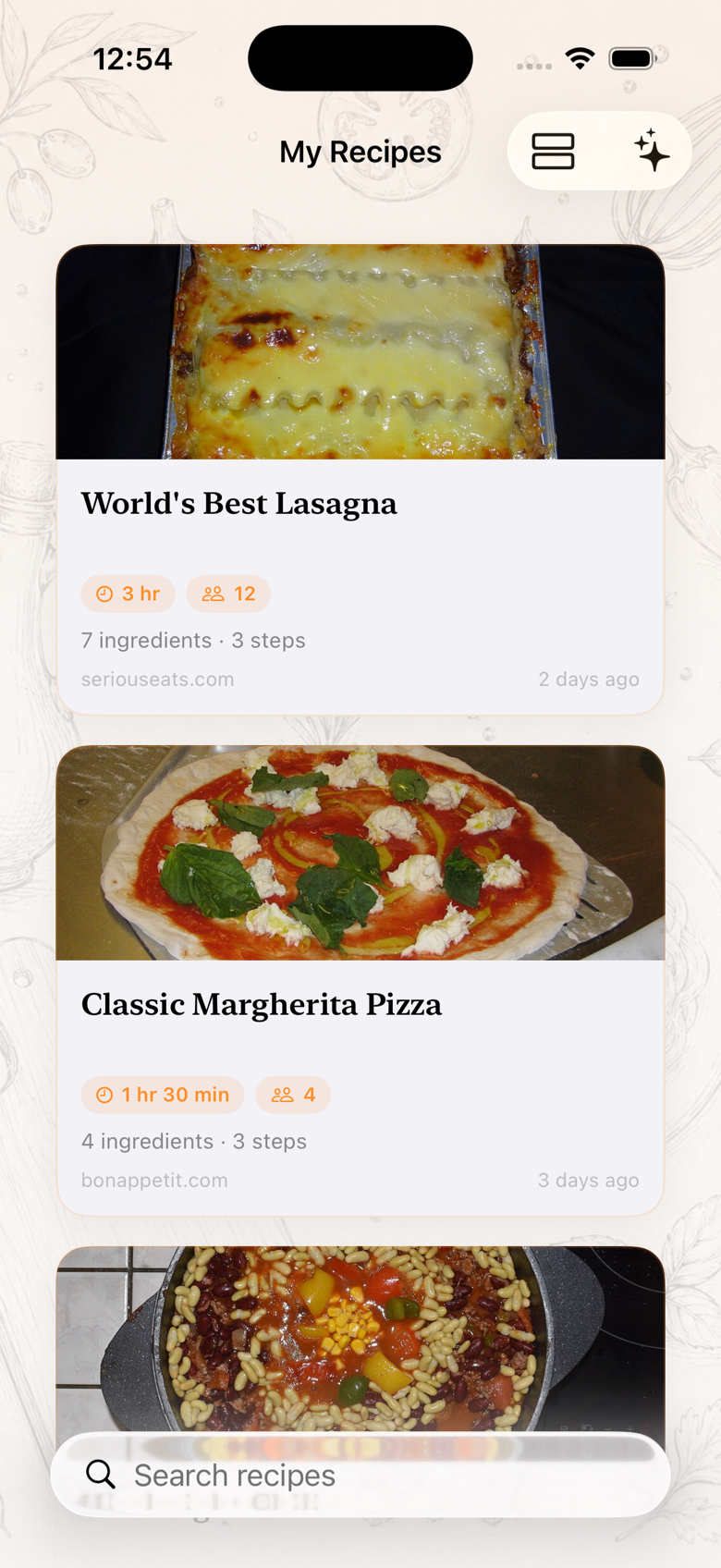
Your saved recipe collection in the Recipe Please app
1 tappage → recipe card
0accounts & subscriptions
100%on your device
recipes saved, forever
7:14 pm. You're hungry.

The internet buried dinner.

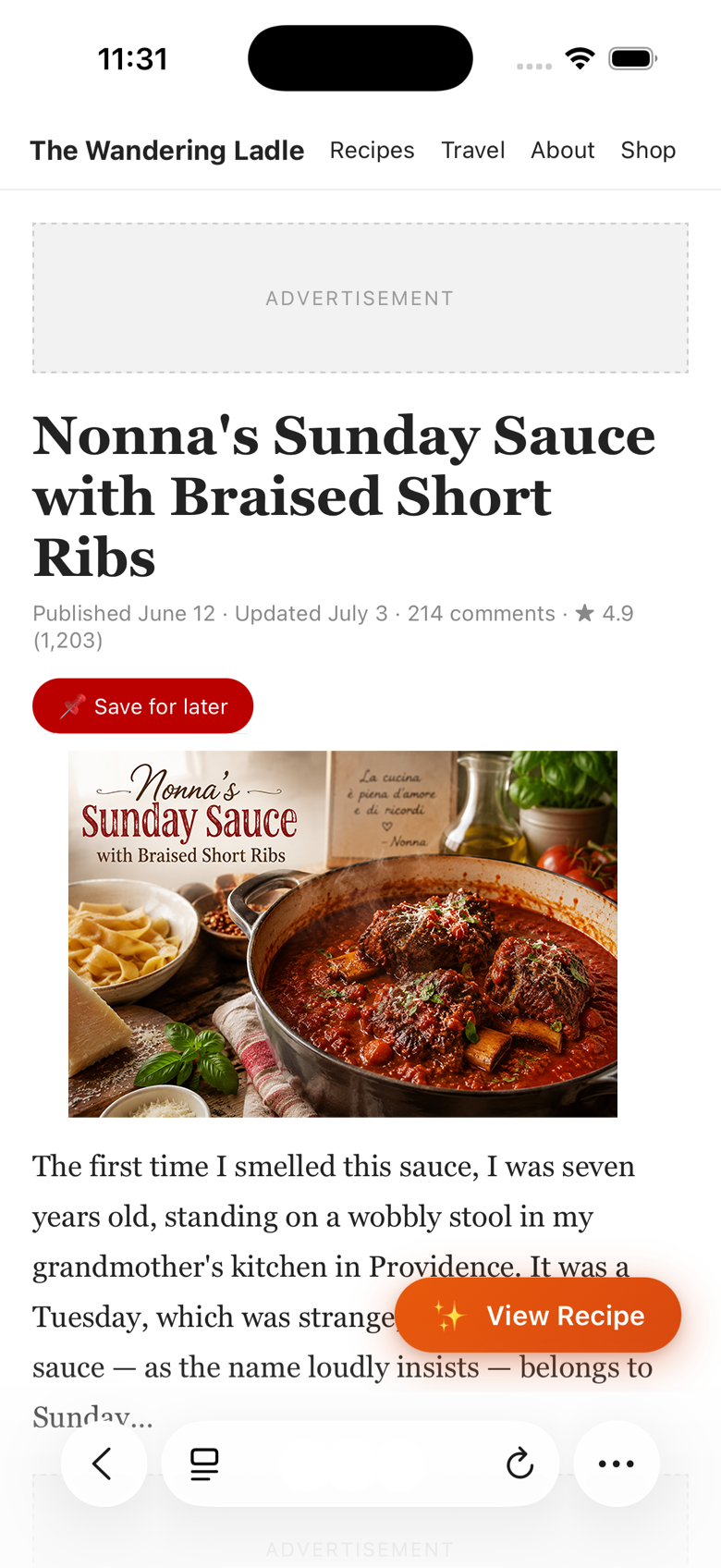
You found the perfect Sunday sauce. Now you're eleven paragraphs into someone's trip to Emilia-Romagna, three pop-ups deep, and the oven still isn't on.

0+
words of life story before a typical online recipe begins
  • Autoplay videos chasing you down the page
  • “Jump to recipe” buttons that jump to another ad
  • Newsletter pop-ups mid-scroll, every scroll
  • And when you finally cook it… you can never find it again
A typical cluttered recipe blog with ads and a long story before the recipe
ADVERTISEMENT
📌 Save for later!…to a board you'll never open
Never miss a recipe!email pop-up, again
214 comments“Can I use butter?”
Then you tap once.

Dinner, surfaced.

Drag the handle. This is the same page, one tap apart — captured live on an iPhone. The story, the ads, the pop-ups: gone. The recipe: perfect, and yours to keep.

Before: the cluttered recipe page
After: the clean Recipe Please card
The internet's version Your version
The whole tutorial

Three steps. The third is optional.

1

Flip the switch

Turn on Recipe Please in Safari's extension settings. The app takes you straight to the toggle — it's a ten-second, one-time setup.

2

Tap “View Recipe”

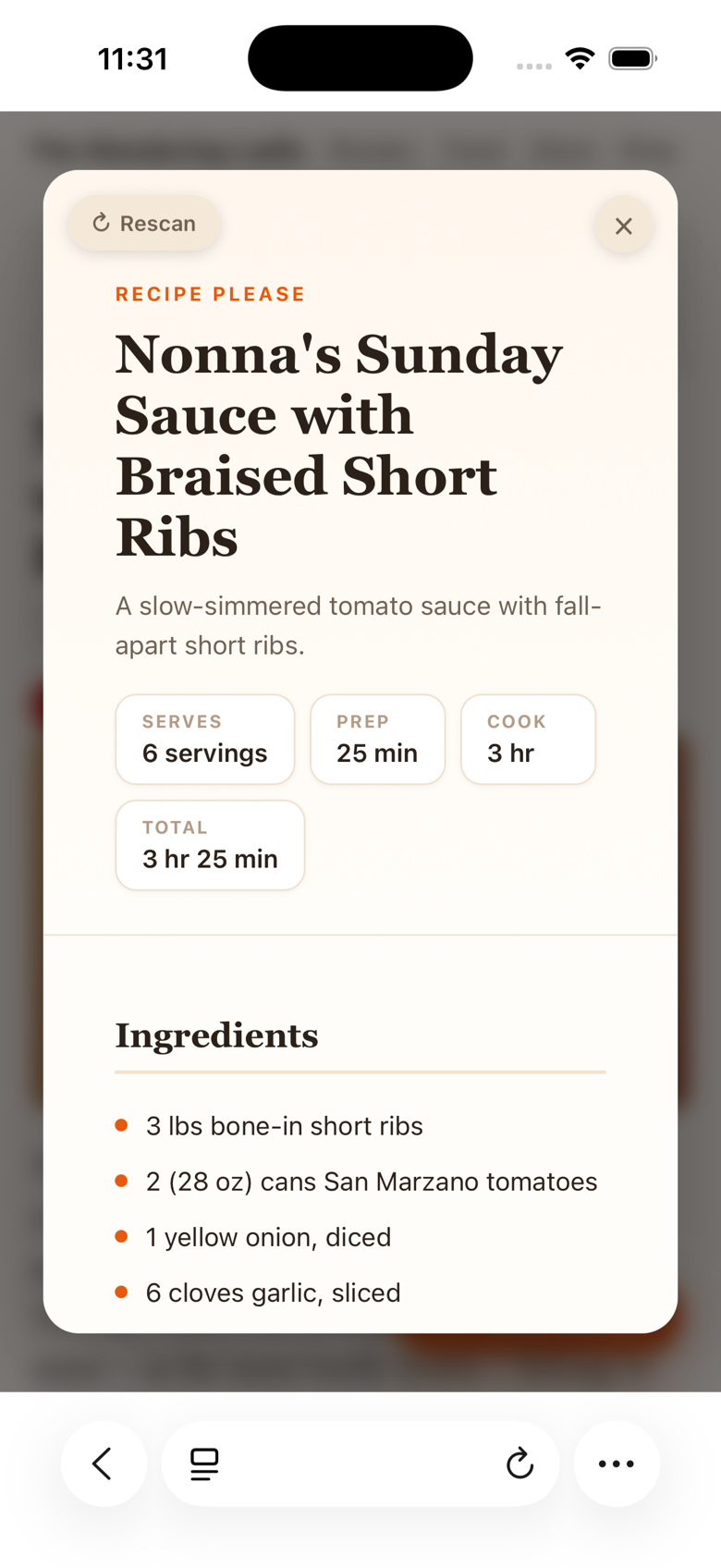
Open any recipe page. A quiet button appears in the corner. Tap it, and the full recipe — times, servings, ingredients, every step — resolves into one beautiful card.

3

Tap “Save”

Love it? One more tap and it lives in your collection — photo included, searchable, offline, forever. That's the last time you'll ever hunt for it.

Built like it costs ten times more

Every detail, considered.

Your cookbook builds itself

Every save lands in a gorgeous collection — with the dish's photo, cook times, and the site it came from. The recipe box your grandmother kept, minus the shoebox.

Recipe Please saved collection in card view
🔒

Private by design

Everything happens on your device. No accounts, no cloud, no analytics on your appetite. The pages you read stay between you and your stove.

The Rescan button

A site with chaotic formatting? Tap Rescan and Recipe Please re-reads the entire page, deeper — so even the messiest blog gives up its recipe.

Three ways to browse. Instant search.

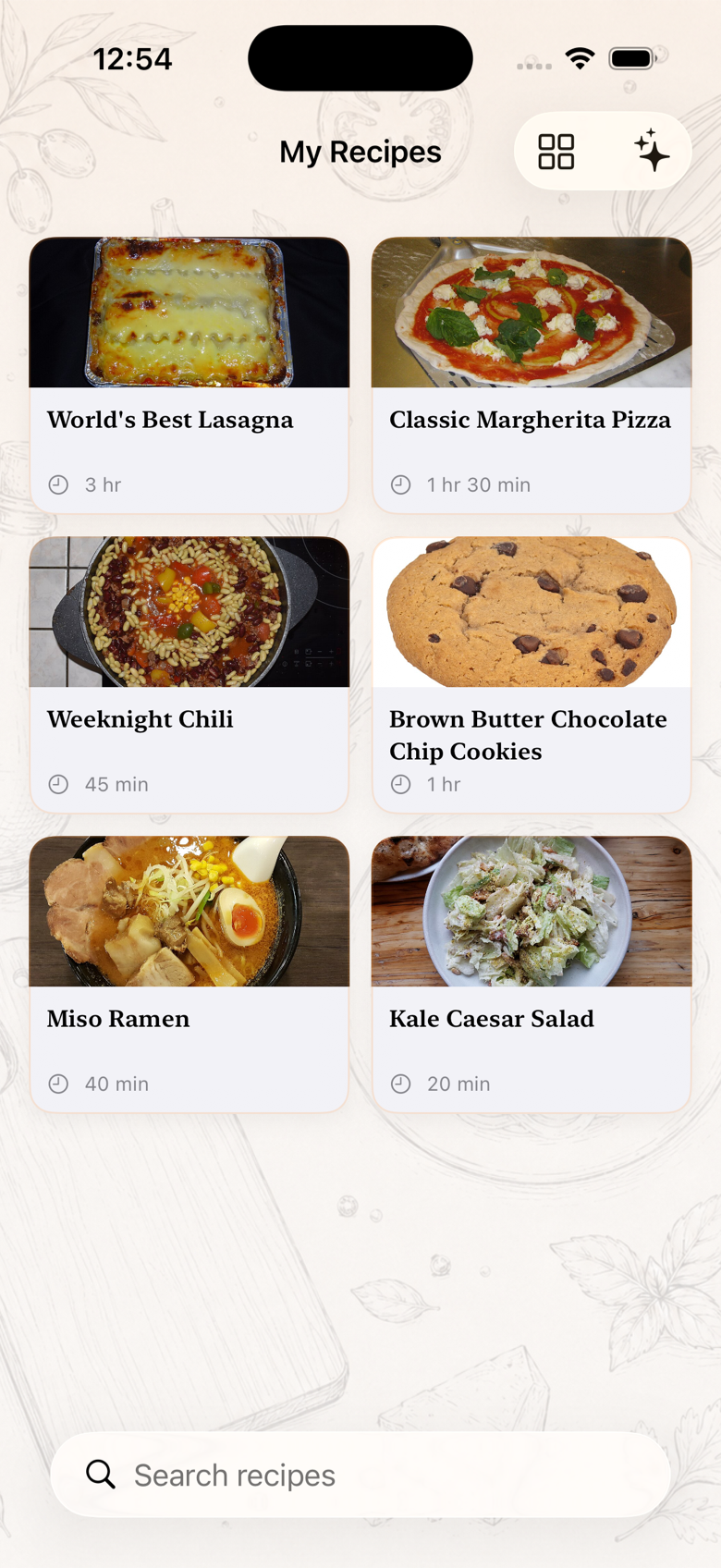
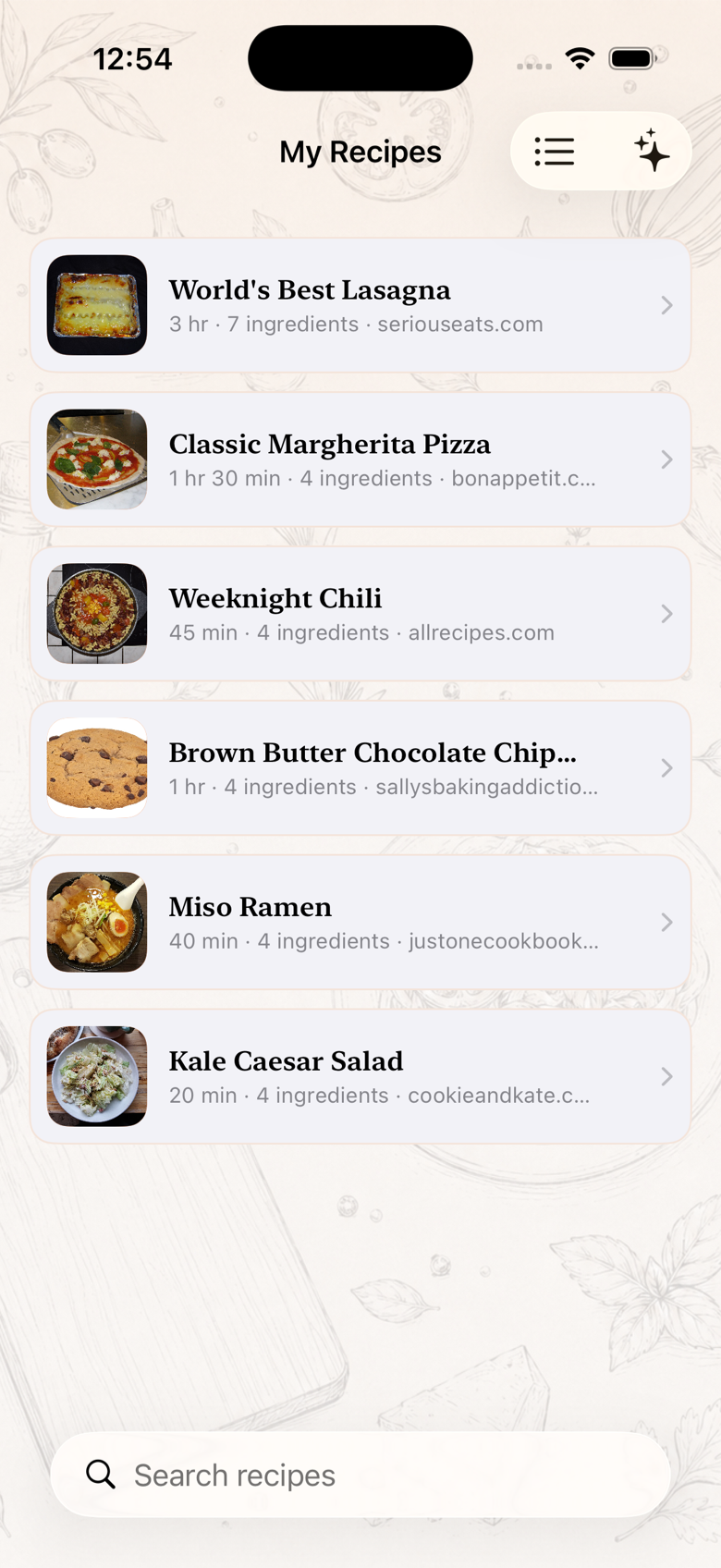
Big cards, a tight grid, or a fast list — one tap to switch. Search by dish, ingredient, or even the website it came from. “chicken” finds every chicken dinner you ever saved.

Recipe Please grid view
Recipe Please list view with search
📶

Works offline

Saved recipes — photos and all — are stored on-device. Cook at the cabin, on a plane, or when the blog that published it disappears.

🍽️

iPhone, iPad & Mac

One purchase, everywhere you cook and everywhere you plan. Native on every screen.

📤

Share & source

Send any recipe as clean text, and jump back to the original site any time — credit where credit's due.

Real kitchens*

Three Tuesdays, saved.

Tuesday · 6:52 pm

The weeknight parent

Maya has 38 minutes between school pickup and soccer. She taps View Recipe at a red light*, and by the time the backpacks hit the floor, the ingredients list is propped next to the cutting board. No scrolling with onion hands.

“The recipe is just… there. It feels illegal.” Maya — one of our illustrated cooks*
Sunday · 10:04 am

The meal-prepper

Dre preps five lunches every Sunday from five different sites. That used to mean five life stories and five pop-ups. Now it's five taps, five cards, one grocery list — and the whole plan lives in his collection by 10:15.

“I saved eleven minutes before I turned the stove on.” Dre — one of our illustrated cooks*
Sunday · 3:30 pm

The Sunday host

Rosa cooks for nine every week, from recipes scattered across a dozen sites and two decades. Her whole rotation now lives in one place — searchable by “short ribs,” dressed in its own photos, safe even if the blogs go dark.

“My recipe box outlived the internet. Finally.” Rosa — one of our illustrated cooks*

*Illustrated characters — because we'd rather show you the real app than rent a fake smile. Your story goes here after your first Tuesday.

The un-subscription

Free. As in free.

Recipe apps want $5 a month to rent you your own recipes. We think that's silly. Recipe Please costs nothing — download it, and dinner's already cheaper.

The subscription way

$59.88/year, every year
  • Pay monthly to open your own recipe box
  • Recipes held hostage if you cancel
  • Your saved dinners, on someone's server
  • Price goes up; your chili doesn't

Typical recipe-manager subscription, billed annually.

Free on the App Store

Recipe Please

$0
Free. Actually free.
  • The View Recipe button on every recipe site
  • Unlimited saves — photos, search, three views
  • iPhone + iPad + Mac, one download
  • 100% private, 100% offline, 0 accounts
  • No ads, no in-app purchases, no catch
Download on the App Store

Every future update included. Your only cost is the groceries.

Questions, answered

Everything else you'd ask.

How does it actually work?

Recipe Please adds a quiet “View Recipe” button to recipe pages in Safari. One tap, and it reads the page right on your device, finds the recipe — title, times, servings, ingredients, every step — and presents it as one clean card. Tap Save and it's in your collection for good.

Does it work on any recipe website?

Virtually all of them — the big publishers, the tiny family blogs, and everything between. If a page contains a recipe, Recipe Please finds it. And for the rare site with truly chaotic formatting, the Rescan button gives the page a second, deeper read.

Is it really not a subscription?

Really. Recipe Please is completely free — no subscription, no in-app purchases, no ads. It would feel strange to charge you rent on your own recipe box.

Where do my recipes live?

On your device — photos included. They work fully offline and survive even if the original website disappears. There are no accounts and nothing is uploaded anywhere.

What about my privacy?

Everything happens on your iPhone, iPad, or Mac. Recipe Please never sends the pages you browse to a server, and there are no trackers, no analytics, and nothing to opt out of.

What devices do I need?

Any modern iPhone, iPad, or Mac running Safari. One purchase covers all your devices.
Dinner is waiting.

Somewhere out there is tonight's recipe, buried under 1,400 words. Go get it in one tap.

Free · No subscription · iPhone, iPad & Mac